(UPDATED POST)
There are definitely some nuances in encrypting the 878 and 578. First off if you are planning on opening up either radios like I describe in my article Opening Up The Anytone AT-D878UV and AT-D578UV do that first before programming the encryption otherwise it will end up deleting all the encryption keys you put in unless you save it to a CVS file which is also in that same article.
On to the encryption.
Open the CPS of whichever radio you are planning on encrypting.
Make sure you select the correct comms port.
Read the radio. (You don’t necessarily have to do this step)
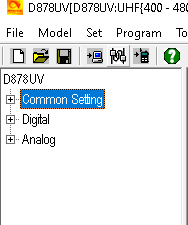
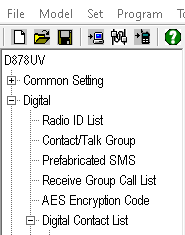
Then on the left hand side goto DIGITAL and click it.
Then go down to AES Encryption Code
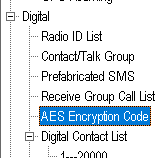
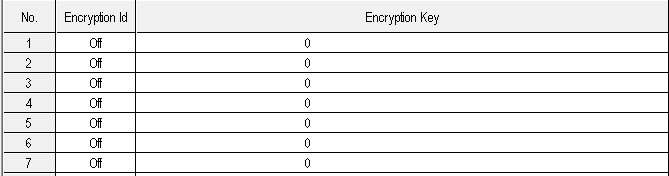
Double click AES Encryption Code and the window below should pop up. Then click on NO. 1
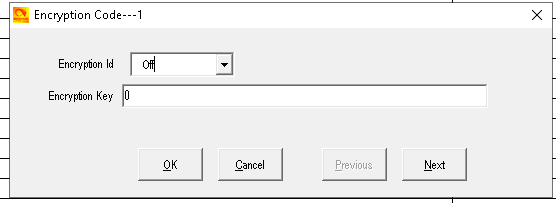
After clicking on No. 1 the window below should pop up. Next select Encryption ID and select number 1. After that put a 64 character encryption key in the Encryption Key box. You can make it up or use a 64 character password generator online. You can use numbers, letters, and characters. I mainly use numbers and upper and lower case letters.
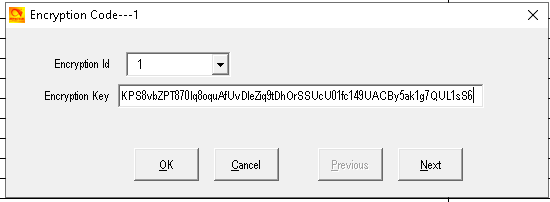
Below is what it should look like after you are done. If you do not use 64 characters it will fill the rest in with zeros.
After hitting ok from the pic above you should see something like in the pic below. Now just repeat this process 2 through 32 if you want that many keys in the radio.

After adding you 64 character encryption key goto Optional Settings and make sure AES is selected
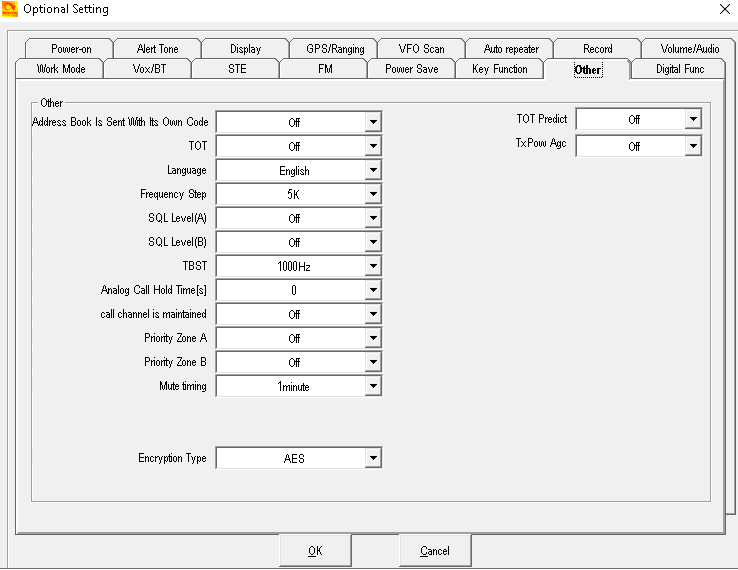
Once you have all this done you can write to radio as seen below.
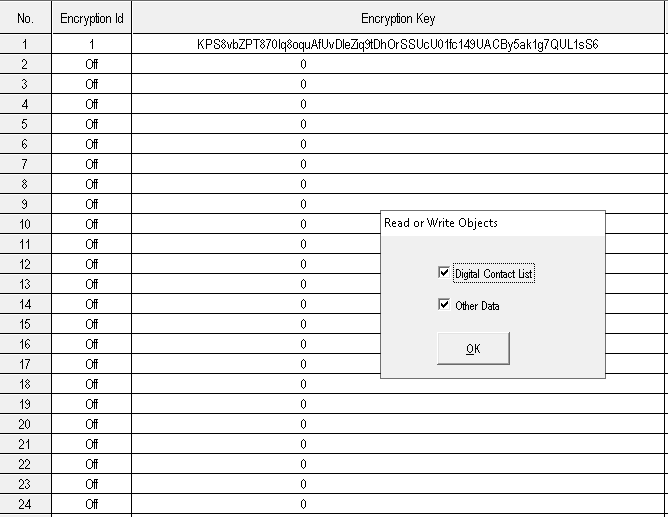
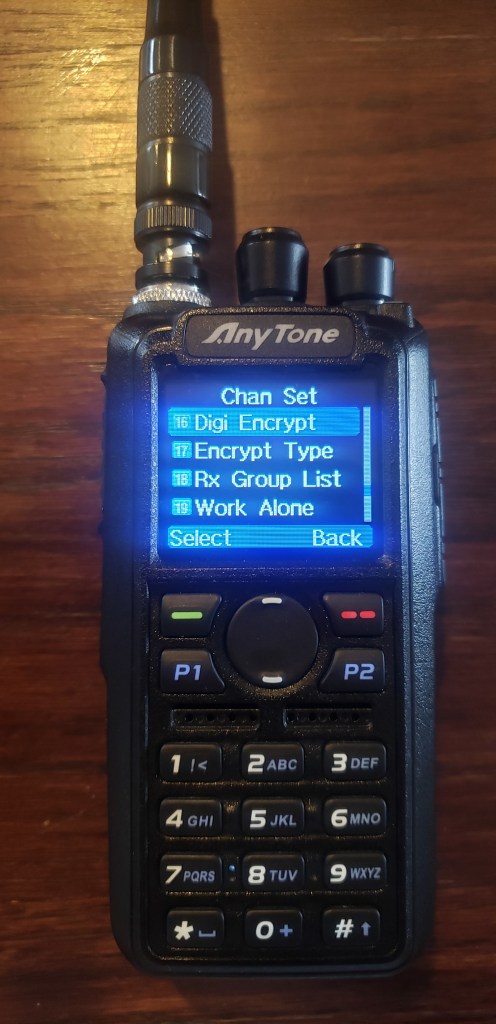
Now that we have written the encryption keys to the radio we need to see if it actually worked. First off make sure the channel or frequency you have it on is a digital channel and not analog. Second off goto settings.
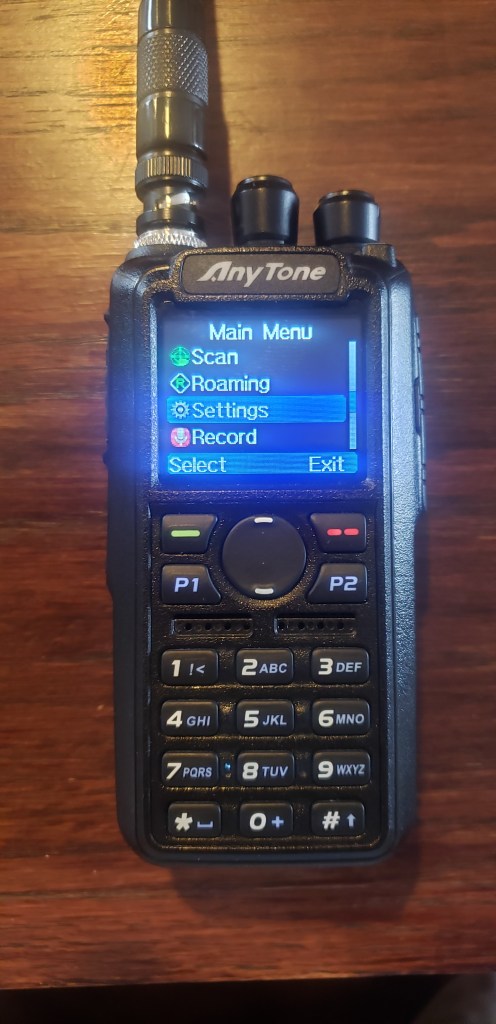
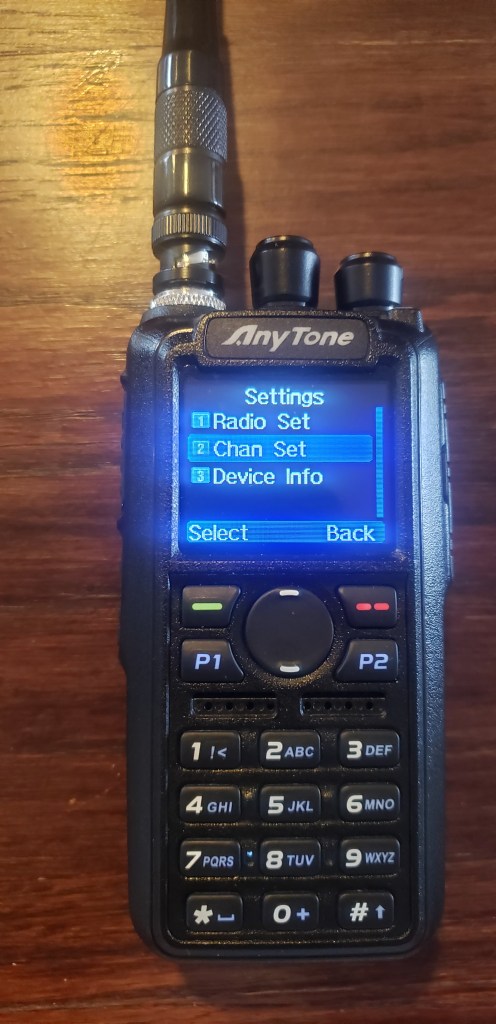
After settings goto channel set
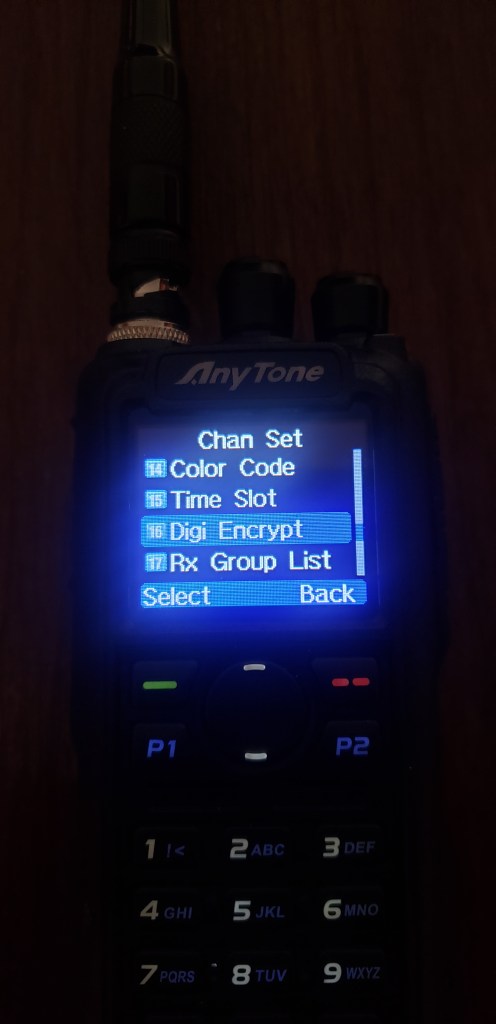
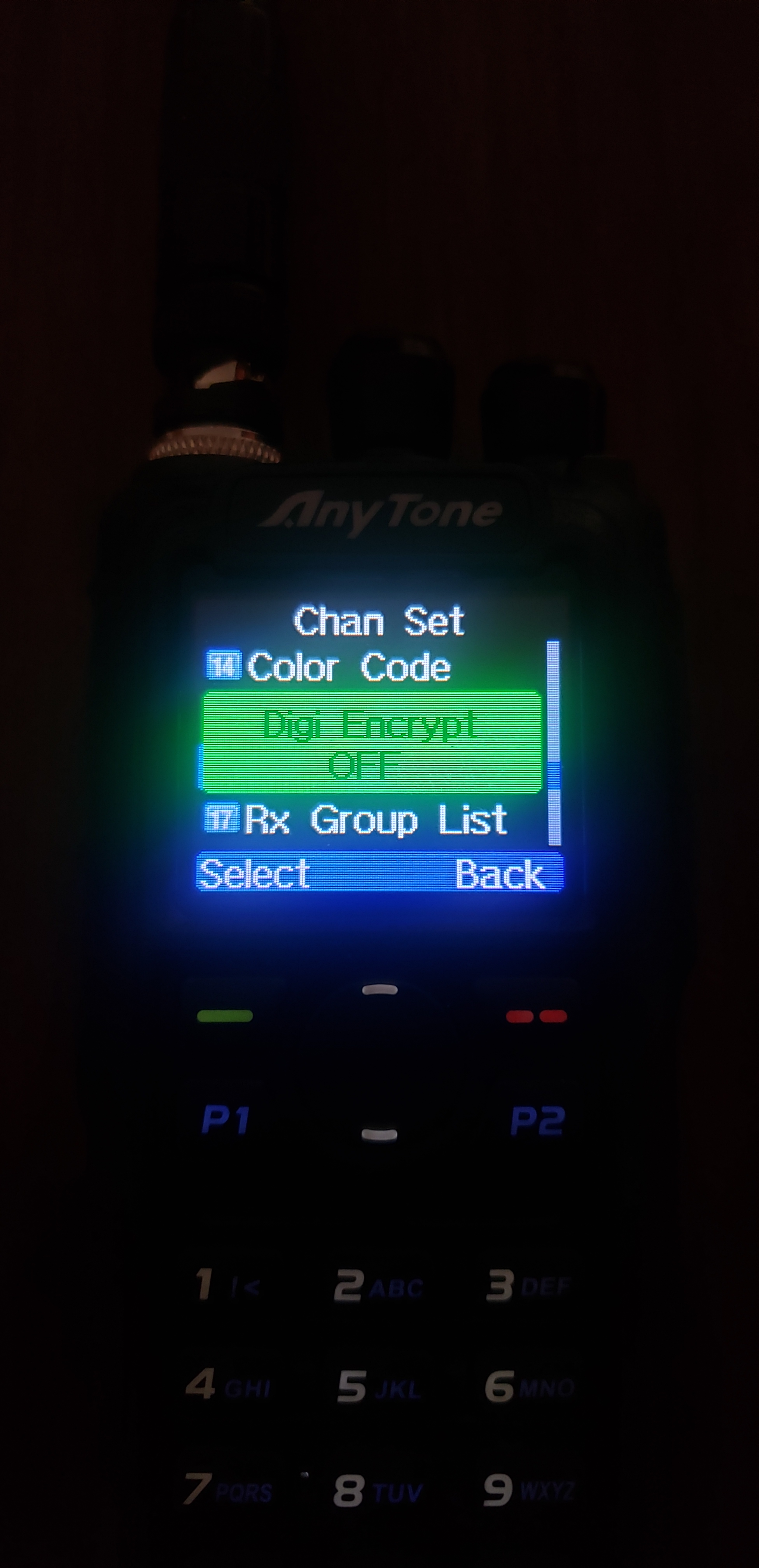
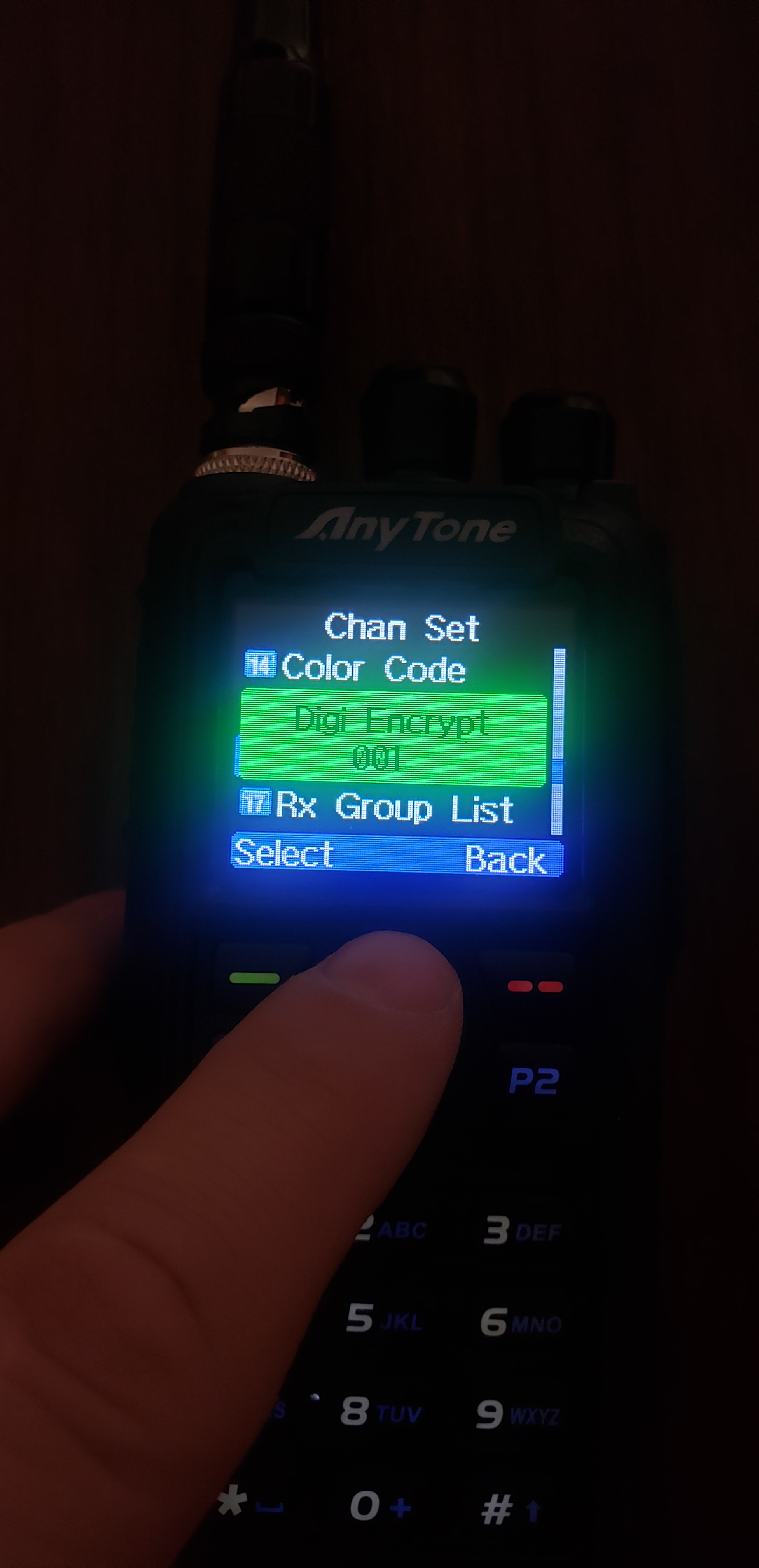
Ok I do believe that is about it. If anyone has had different experiences with this I would love to hear about it. If I missed something I would love to hear about it.
 Wyoming Survival
Does the AnyTone encryption encrypt transmission meta data as well (e.g. the senders DMR ID) or only the voice data stream? If not how are you protecting your DMR ID from being detected and thus traced back to you?
LikeLike
Just voice stream. and the DMR ID is one I put into the radio and NOT an assigned ID.
LikeLike
Voice stream as far as I can tell anyway
LikeLike
Thanks for the update on the DMR ID.
Any updates on why AES isn’t working when Mode 14 is enabled? I have two 878’s on order that should arrive this week.
BTW – Another good resource for man-portable digital HF radio is: http://oh8stn.org/
LikeLike
No idea. I haven’t found anyone talking about it. Yeah I follow Julian lol
LikeLike
Hey John I sorted out the AES problem! New post coming soon. It was just being I’m retarded AND there is NO Literature on these damn radios but I got it now
LikeLike
Awesome! Looking forward to the new post. My two new AnyTone D878UVII Plus radios arrived today. Thanks for all the great information!
LikeLiked by 1 person
Hey thanks for the support!
LikeLike
I’d be very interested in some help with this. I use Band 14 as well due to our business band repeaters and our ham repeaters. Our work requires our radios network traffic to be encrypted. Thank you.
LikeLiked by 1 person
I think it’s because that mode is for testing purposes, you aren’t supposed to stay using mode 14. So in AnyTone’s eyes no one will be walking around using that mode for everyday use.
LikeLike
BTW – What firmware / CPS version and AT_Options are you using?
LikeLike
I’m using the newest of both. Also the new post is up about the encryption
LikeLike
Interesting. Sorry for double post the website had a fit with my log in and it looked like it didnt save but it did.
I am going to mess around more with it. It worked after I opened up the 878 so maybe redoing that process will make it work? We shall see.
LikeLike
Sorry I’m not more help. I haven’t had that problem and not sure what would be causing it.
LikeLike
No worries, Unfortunately, I don’t think Bridgecom would be too likely to help me either.
LikeLike
Can you email me the CPS you’re using? I am curious if they changed something in their software without posting about it? I tried with a new CPS 3.03 download on a different computer and have the same issue.
str8facedjake@gmail.com
LikeLike
I will when I get home tonight
LikeLike
I have go through and opened up both my D878UV Plus and my D578UV radios. I was able to make encryption keys for my 878 in the CPS without issue. However, when I try to use those exact same keys in the CPS for my D578UV I cannot use any characters besides numbers and capitol letters only! I have tried doing this in different modes, as well as in the commercial and amateur settings as well. I also have tried the V1 and V2 CPS to see if that could be the issue.
In both softwares when I go to optional settings and try to select encryption type I am only given two options “common” and “extended encrpytion” I am not granted the option for AES.
Have you had this issue before with the D578UV? If so do you have any tips or tricks? I feel that I have tried everything.
LikeLike
I have not had that problem but I’m still on the old firmware for the 578
LikeLike
Try this: On the newest firmware, follow the normal steps for enabling AES but ensure you have keys populated into the Digital – ARC4 tab as well as AES. You don’t have to use ARC4 but it seems that since the 578 at least ties them together under “Extended Encryption” that it has some bearing on the radio recognizing the option when programmed. With this done, all my radios took the programming properly and allow encryption to be selected as either AES or ARC4.
LikeLike
So I just tried this. This does not allow me to create intricate encryption keys either. I went through and figured out that I can only use “0-9” and “A, B, C, D, E” only. I made encryption keys last night for the 878 with no issue whatsoever. Now I tried to go back into the CPS for the 878 and I am having the exact same issue in both CPS. So this is really interesting.
LikeLike
I am also on 3.03 CPS as well. When I read form radio it has no crypto key either, just a bunch of X’s. However the crypto keys in it work when I use the radio… So now I basically have on radio with crypto and I cant copy the keys to any other radios or CPS…
LikeLike
Now I do know about that. You need to save the keys somewhere else and then past them into the CPS when you wanna write the radio with keys. It won’t pull the keys up when you open that codeplug file. It’s a security feature I guess but it’s irritating
LikeLiked by 1 person
So I just tried this, nothing changed in my ability to create intricate encryption keys. I went though my whole key board and it seems that I can only uses the characters of “0-9” and “A, B, C, D, and E”. I also went back into my CPS for the 878 and it has the same issues now. I programmed my 878 last night and had absolutely no issues then.
LikeLike
Wow I have no idea. My 878 have the newest firmware and I was able to use my same keys
LikeLike
I have Version 3.03. I just opened it up and put a custom 64 character encryption key in with no problems so I’m not sure what is going on with yours
LikeLiked by 1 person
Jonathan in West Central Florida (Englewood)
* Read previous posts and comments on 878 etc encryption and loaded lower case AES/ ARC4 hex keys and set channel and settings options and digital contacts as post recommended. Also tried turning other settings like multikey and random key on and off with no effect. Did not try common encryption since it seems pretty easy to break
– Using CPS’s 3.03 and have a half dozen 878’s from the original UV-1, plus and UV-2 plus’s and none are passing encrypted voice.
– Radio’s all open each others squelch, but are not unmuting voice between radio’s when Encode set to AES and Digi-crypt set to same key. Also doesn’t unmute using ARC4 with keys loaded. .
– 878’s connect and communicate fine on our test channel when keys etc are loaded but AES on the Radios are set to off
– Just used a local frequency coordinator to obtain a local UHF PLMRS repeater pair and simplex frequency for demos in our local area of interest.
Looking for any blatantly obvious user stupidity before my business partner and I with a 1/2 dozen engineering degrees between us feel compelled to throw each off a balcony…
Kind regards
Jonathan
LikeLike
March 2026 – new findings for Encryption – CPS Version 1.21
Step 1: In CPS, go to Optional Settings, then the Other tab, then change Encryption Settings from Common to Extended Encryption.
Step 2: Save changes and write to radio
Step 3: On the radio, press Menu, then Settings, then Channel Settings, then Encryption Type. Now, instead of seeing Normal and Enhanced, you see AES Type or ARC4 Type. Select your choice based on what you have already administered for encryption values.
NOTE: The Encryption ID is independent of the encryption NUMBER. Make sure the encryption ID matches the ID of the other radio, but when you select the encryption setting you have to follow the number. For instance, I administered AES encryption setting NUMBER1, and I set the Encryption ID to 2, so that it would match the encryption ID of the other radio. My encryption number 2 has an encryption id of 4 to match another radio. I can now select Encryption 1 or 2 to use encryption ID 2 or encryption id 4.
Happy programming!
LikeLike