Ok I’m going to admit I was wrong in my post about encrypting the Anytones. 90% of the post was correct but 10% was wrong.
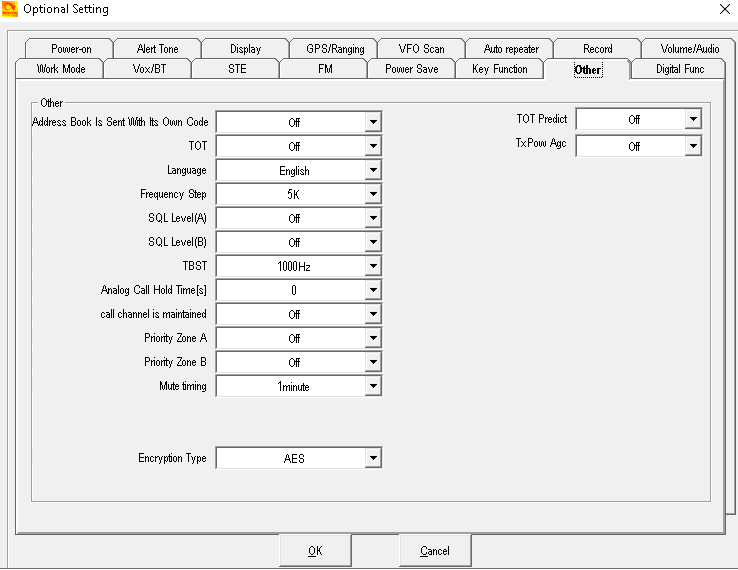
Going back to Optional Settings in the CPS goto other and change it to AES. As seen below. Then if you already have the encryption keys in the AES Encryption key section go ahead and write to the radio.
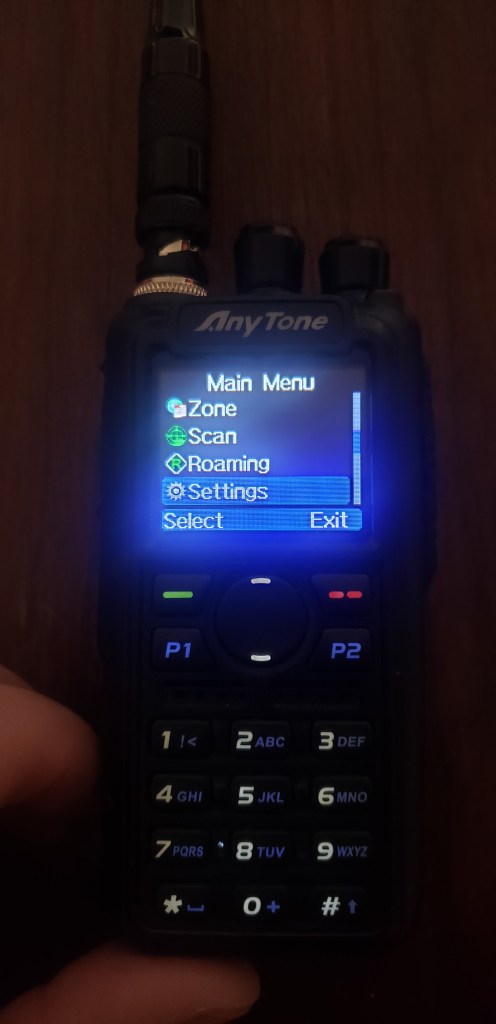
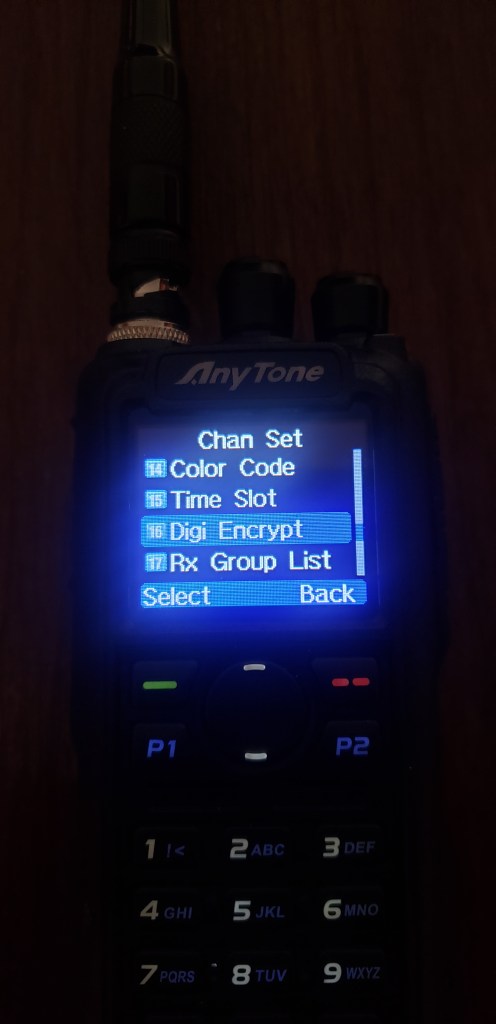
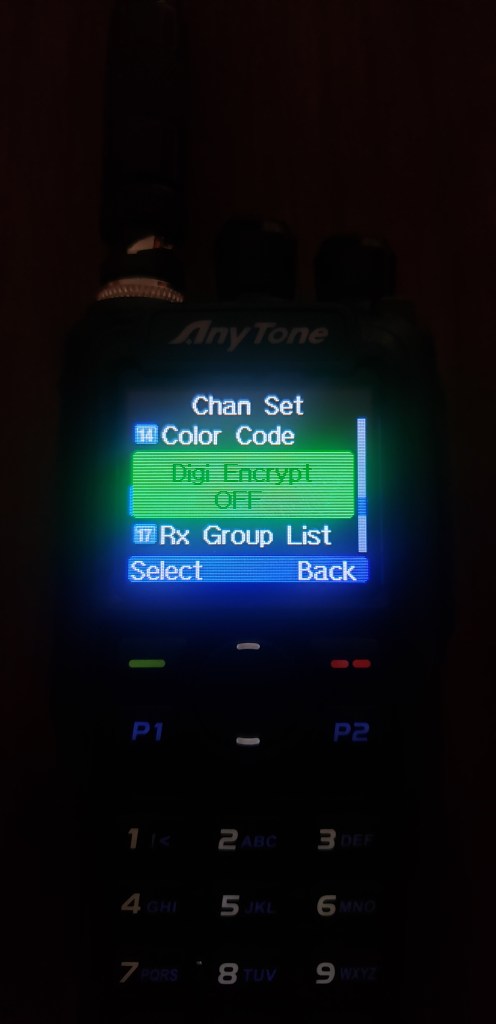
Here is where I was having the problem. When I went to the setting Digital Encrypt on the radio I didn’t know I needed to scroll up or down for the AES encryption keys…..🤦♂️ Hey this is why I’m writing all this up for everyone!


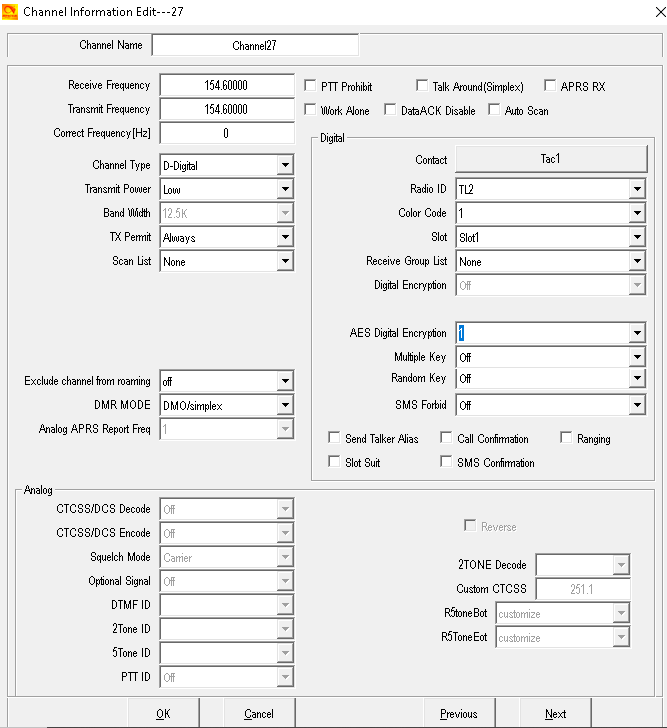
If you look at the picture below you will see whe window you program channels into the Anytone. If you look on the middle right hand side where AES is highlighted thats how you can encypt a programmed channel if you want to. You just select the key you want and write to radio.
For most of the encryption process you can check out my previous post here
Finally I have to give a shout out the my Instagram friend who is also learning the Anytone and actually has helped me out with some of the stuff. You know who you are!


I’ve a couple of these radios but I never got around to figuring out the more advance things they can do, like encryption. Thanks for your series on them!
Any chance of compiling it into a pdf guide for download?
LikeLike
I can try……😆 it might be a bit.
LikeLike
I have been working on this for a few years on and off and I have all of my setting the same as y’all have. I am using Band 14, but that shouldn’t matter. I’ll keep messing with it.
LikeLiked by 1 person
So go back to the Encrypting The Anytone post I put up. Its all on there now how to Encrypt them
LikeLike
Thank you for a great guide. Was wondering if anyone has the same issue: Common encryption works just fine (CSS: Optional Setting / Other / Encryption Type: Common. ), but AES does not. I triple-checked that the I have identical AES keys between the radios. FW 3.01 on both units
LikeLiked by 1 person
I have the same problem. Using CPS and Firmware 3.1 common encryption works, AES does not. I’ve tried everything I can think of.
LikeLike
Just tinkered on and just found a solution: I had to enable multi key and random key – don’t ask me why.
LikeLike
Hi there – I am trying to do the AES or ARC4 encryption on a Alinco DR-MD520. Got the latest software and firmware but is still does not work. Anyone tried this ? –
LikeLike
Someone else asked me about this radio. I downloaded the CPS and couldn’t find AES encryption anywhere in the software. I’m guessing its not there. The software is exactly like the Anytone CPS minus the AES encryption tab.
LikeLike
I received new software and firmware from Japan – can I send it for experimentational purposes to you ?
LikeLike